If you sell products people want to customize, the right Shopify personalizer raises conversion and AOV while cutting returns. This guide defines what these apps do, how they work with Shopify, what to evaluate, and the best options by use case backed by current vendor docs and Shopify reviews.
What is a “product personalization app” on Shopify?
A product personalization app lets shoppers customize attributes on a product page and pass those choices through cart and checkout. Apps typically store shopper inputs in line item properties so each order carries the exact text, images, and options needed to fulfill it.
Why it matters: adding product personalization to your Shopify store helps to improve shopper confidence with live previews, increase AOV with paid add-ons, and differentiate your brand with premium experiences, especially on jewelry, apparel, gifts, accessories, and POD catalogs. McKinsey reports companies that excel at personalization generate ~40% more revenue from these activities than average peers, and most consumers now expect personalization.
Selection based on current app-store listings, vendor docs, and adoption in DTC and POD.
1. Bespo
What it is
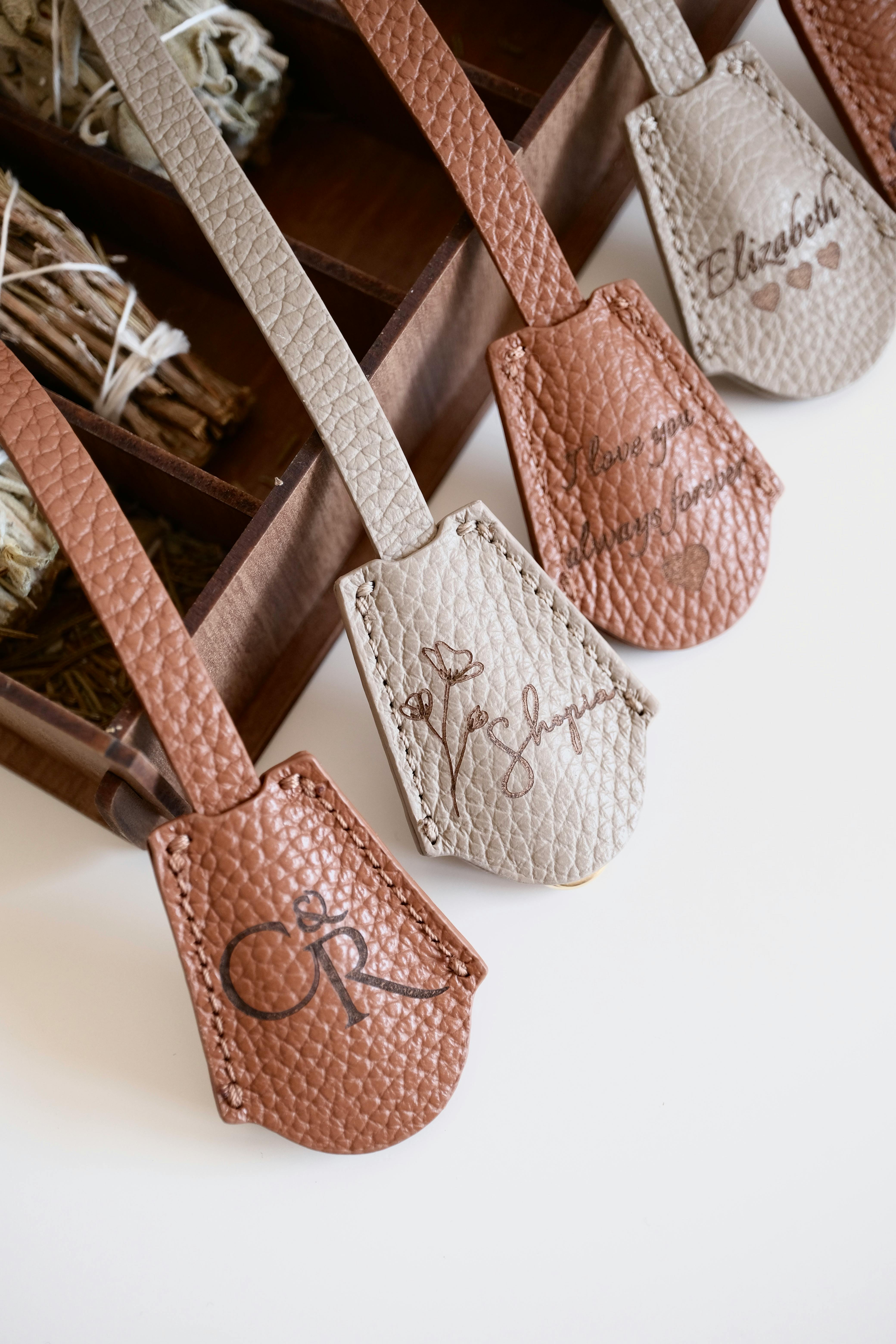
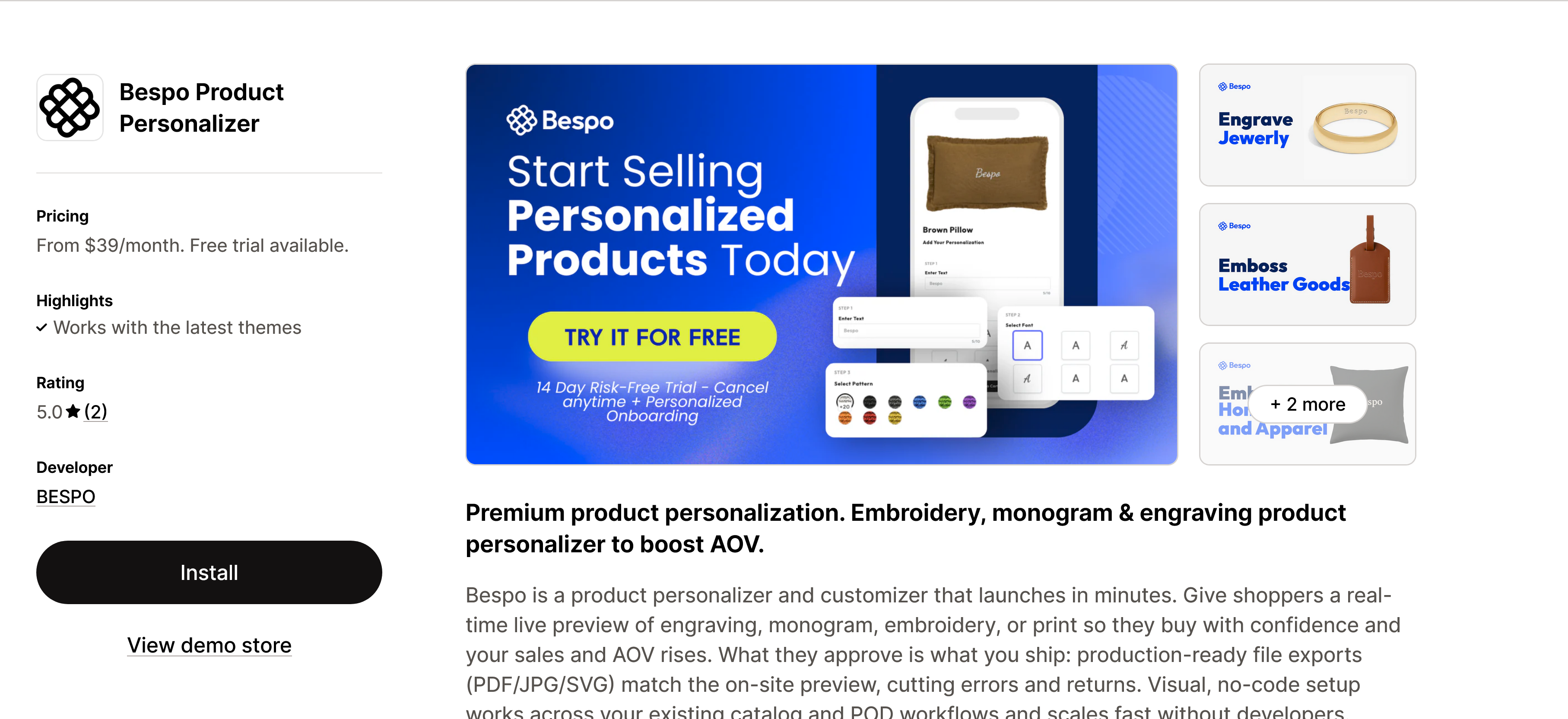
A product personalizer with technique-aware previews for engraving, emboss/deboss, embroidery, monogram, and print. Exports production-ready PDF/JPG/SVG that match the preview. Visual, no-code setup
Why it stands out
Photoreal, process-specific rendering so “what they approve is what you ship,” plus an ops-friendly export flow. Strong fit for premium brands that need realism beyond basic overlays.
Ideal for
Jewelry, leather goods, apparel with embroidery or monograms, premium gifting.
2. Zepto Product Personalizer
What it is
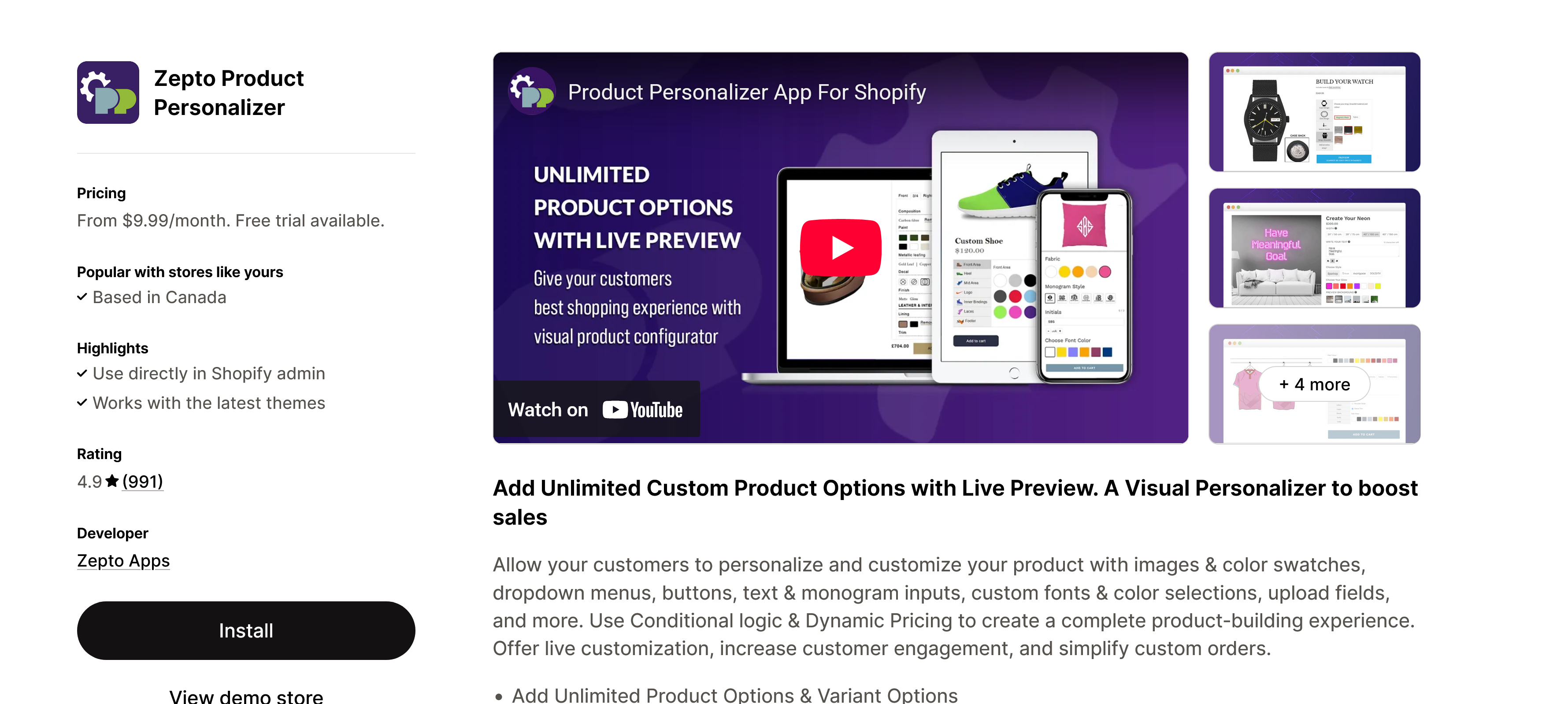
A widely adopted personalizer with live previews, unlimited options, conditional logic, and dynamic pricing. Well-reviewed for reliability and bulk tools.
Why it stands out
Fast time-to-value, broad option types, and strong merchant feedback.
Ideal for
General stores needing flexible options and previews without specialized manufacturing effects.
3. Teeinblue Product Personalizer
What it is
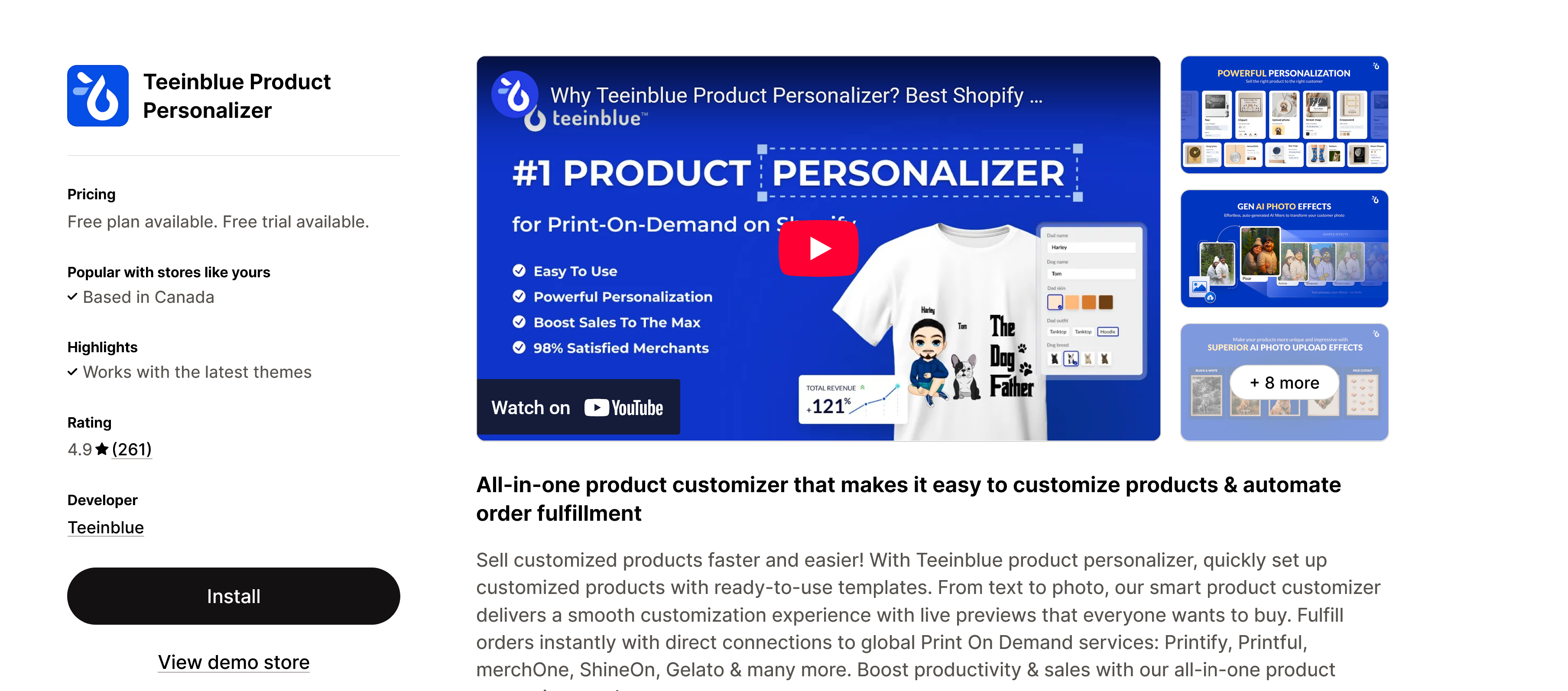
A POD-focused personalizer with templates, live preview, and direct integrations to Printify, Printful, Gelato, ShineOn, and others. Provides auto-generated print files.
Why it stands out
Purpose-built for POD workflows and scalable template management.
Ideal for
POD catalogs that need fast setup and fulfillment integrations.
4. Customily Product Personalizer
What it is
An all-in-one personalizer for live previews with print-ready files and many design elements including curved and warped text. Integrates with top POD providers.
Why it stands out
Deep text effects and POD automations for production.
Ideal for
Stores wanting more advanced text shaping and automated print flows.
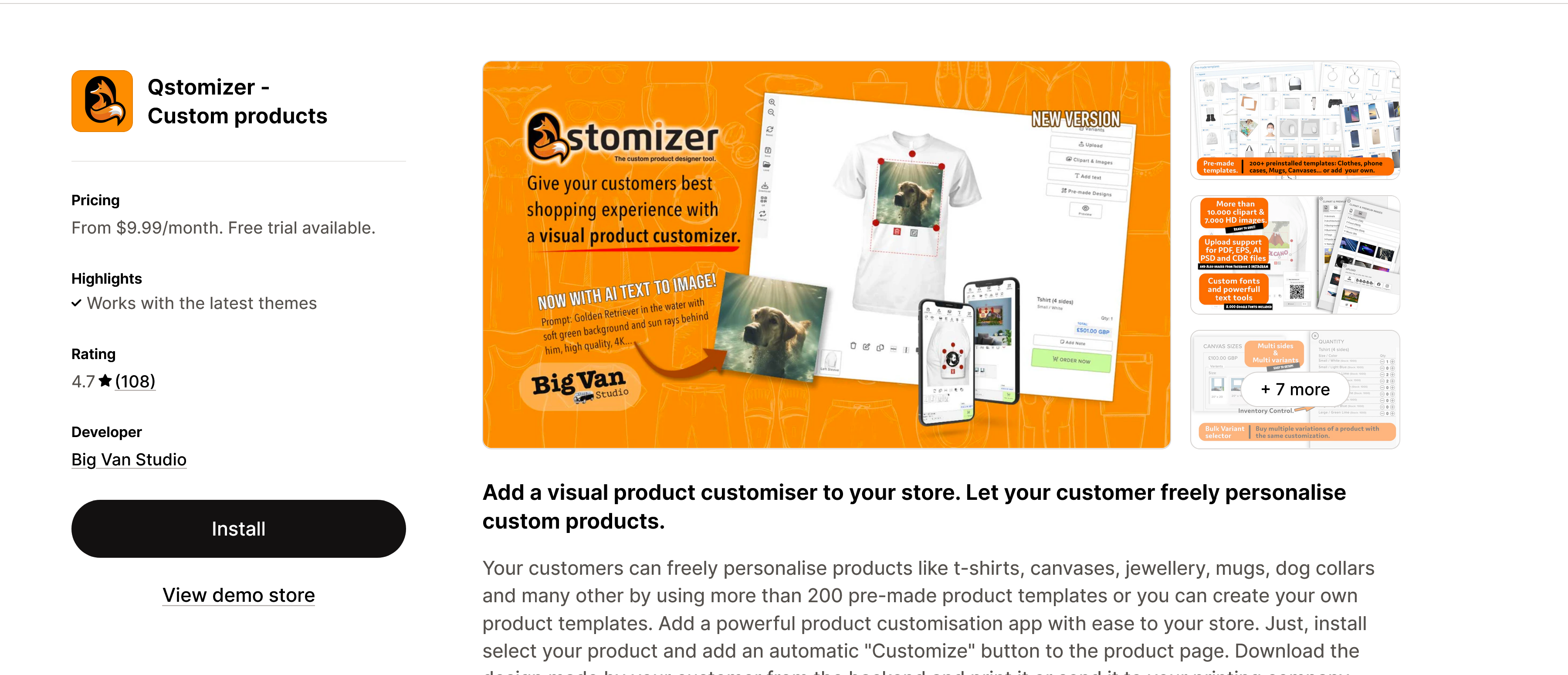
5. Qstomizer
What it is
A flexible visual customizer with 200+ templates, quick install, mobile version, and downloadable customer designs. Supports curved text and custom fonts.
Why it stands out
Simple setup, broad template library, and straightforward file downloads.
Ideal for
SMBs that want an easy visual designer without complex workflows.
Feature Comparison at a Glance
Legend: 🟢 strong | 🟡 adequate | 🔴 limited (Benchmarks reflect vendor documentation and common implementations. “Technique-aware” means previews mimic processes like engraving, emboss/deboss, or embroidery rather than a flat overlay.)
Placement and shape control (positioning, curve/warp)
🟢
🟢
🟡
🟢
🟡
Operations handoff and production files
🟢
🟡
🟢
🟢
🟡
Mobile PDP UX
🟢
🟢
🔴
🟢
🟢
Pricing flexibility
🟢
🟢
🟡
🟡
🟡
Trial and onboarding
🟢
🟢
🟢
🟢
🟢
Legend: 🟢 strong, 🟡 adequate, 🔴 limited
2D vs 3D and AR: what you actually need
Most personalizers render 2D previews on product photos. If you must show contouring or distortion around curved surfaces or view in a room, use Shopify’s native 3D product media and, when needed, a 3D configurator such as Angle 3D. Many merchants mix a personalizer for text/image inputs with 3D models for spatial context.
How each app integrates with Shopify
Theme placement: OS 2.0 app blocks let you add or move the personalizer on product templates
Data capture: customer inputs are stored as line item properties on the cart, order, and fulfillment records
Files for production: some tools output print-ready or production-ready files that match previews
Which app should you choose?
Jewelry, leather, premium gifts that sell engraving or embossing: Bespo for technique-aware realism and file exports.
General stores that need lots of options and quick rollout: Zepto for live preview, conditional logic, and broad configuration.
Print-on-demand catalogs: Teeinblue or Customily for live previews plus automated print files and POD integrations.
Simple setup with templates and downloads: Qstomizer for straightforward visual customization.
Common mistakes and how to fix them
Mistake 1: Too many options overwhelm customers
Fix: limit choices and use conditional logic so only relevant inputs appear. This keeps PDPs fast and clean.
Mistake 2: Skipping mobile and theme testing
Fix: test on OS 2.0 themes with app blocks. Confirm layout, speed, and image sizes on common devices.
Mistake 3: Ignoring preview quality
Fix: choose apps with realistic live previews. For process-specific effects, pick a tool that renders engraving, emboss/deboss, or embroidery accurately.
Mistake 4: Undercharging for personalization
Fix: show clear up-charges per option. Use dynamic pricing where supported and reflect totals in the cart.
FAQ: Shopify personalization apps
Can I show live previews with these apps? Yes. All five support live preview. Depth varies. Bespo emphasizes technique-aware rendering, while others focus on general overlays.
Do I need a developer to install? Usually no. Modern apps use theme app extensions and app blocks for no-code placement. Complex customizations can still benefit from developer help.
Will personalization slow down my pages? It can when apps inject heavy scripts or large assets. Favor OS 2.0 apps, compress images, and keep option sets lean.
What if I need AR or contouring around curved objects? Use Shopify 3D product media and consider a 3D configurator alongside your personalizer.
The bottom line
Start with your use case: premium techniques, general customization, or POD automation.
Validate preview quality and ops handoff before rollout.
Use conditional logic and OS 2.0 app blocks to keep pages fast and clear.
If you want technique-aware photorealism for engraving, embossing/debossing, embroidery, and printing, and production-ready files that match what customers approve, try Bespo first.Start a Bespo free trial and launch personalization in minutes.
If you sell products people want to customize, the right Shopify personalizer raises conversion and AOV while cutting returns. This guide defines what these apps do, how they work with Shopify, what to evaluate, and the best options by use case backed by current vendor docs and Shopify reviews.
What is a “product personalization app” on Shopify?
A product personalization app lets shoppers customize attributes on a product page and pass those choices through cart and checkout. Apps typically store shopper inputs in line item properties so each order carries the exact text, images, and options needed to fulfill it.
Why it matters: adding product personalization to your Shopify store helps to improve shopper confidence with live previews, increase AOV with paid add-ons, and differentiate your brand with premium experiences, especially on jewelry, apparel, gifts, accessories, and POD catalogs. McKinsey reports companies that excel at personalization generate ~40% more revenue from these activities than average peers, and most consumers now expect personalization.
Selection based on current app-store listings, vendor docs, and adoption in DTC and POD.
1. Bespo
What it is
A product personalizer with technique-aware previews for engraving, emboss/deboss, embroidery, monogram, and print. Exports production-ready PDF/JPG/SVG that match the preview. Visual, no-code setup
Why it stands out
Photoreal, process-specific rendering so “what they approve is what you ship,” plus an ops-friendly export flow. Strong fit for premium brands that need realism beyond basic overlays.
Ideal for
Jewelry, leather goods, apparel with embroidery or monograms, premium gifting.
2. Zepto Product Personalizer
What it is
A widely adopted personalizer with live previews, unlimited options, conditional logic, and dynamic pricing. Well-reviewed for reliability and bulk tools.
Why it stands out
Fast time-to-value, broad option types, and strong merchant feedback.
Ideal for
General stores needing flexible options and previews without specialized manufacturing effects.
3. Teeinblue Product Personalizer
What it is
A POD-focused personalizer with templates, live preview, and direct integrations to Printify, Printful, Gelato, ShineOn, and others. Provides auto-generated print files.
Why it stands out
Purpose-built for POD workflows and scalable template management.
Ideal for
POD catalogs that need fast setup and fulfillment integrations.
4. Customily Product Personalizer
What it is
An all-in-one personalizer for live previews with print-ready files and many design elements including curved and warped text. Integrates with top POD providers.
Why it stands out
Deep text effects and POD automations for production.
Ideal for
Stores wanting more advanced text shaping and automated print flows.
5. Qstomizer
What it is
A flexible visual customizer with 200+ templates, quick install, mobile version, and downloadable customer designs. Supports curved text and custom fonts.
Why it stands out
Simple setup, broad template library, and straightforward file downloads.
Ideal for
SMBs that want an easy visual designer without complex workflows.
Feature Comparison at a Glance
Legend: 🟢 strong | 🟡 adequate | 🔴 limited (Benchmarks reflect vendor documentation and common implementations. “Technique-aware” means previews mimic processes like engraving, emboss/deboss, or embroidery rather than a flat overlay.)
Placement and shape control (positioning, curve/warp)
🟢
🟢
🟡
🟢
🟡
Operations handoff and production files
🟢
🟡
🟢
🟢
🟡
Mobile PDP UX
🟢
🟢
🔴
🟢
🟢
Pricing flexibility
🟢
🟢
🟡
🟡
🟡
Trial and onboarding
🟢
🟢
🟢
🟢
🟢
Legend: 🟢 strong, 🟡 adequate, 🔴 limited
2D vs 3D and AR: what you actually need
Most personalizers render 2D previews on product photos. If you must show contouring or distortion around curved surfaces or view in a room, use Shopify’s native 3D product media and, when needed, a 3D configurator such as Angle 3D. Many merchants mix a personalizer for text/image inputs with 3D models for spatial context.
How each app integrates with Shopify
Theme placement: OS 2.0 app blocks let you add or move the personalizer on product templates
Data capture: customer inputs are stored as line item properties on the cart, order, and fulfillment records
Files for production: some tools output print-ready or production-ready files that match previews
Which app should you choose?
Jewelry, leather, premium gifts that sell engraving or embossing: Bespo for technique-aware realism and file exports.
General stores that need lots of options and quick rollout: Zepto for live preview, conditional logic, and broad configuration.
Print-on-demand catalogs: Teeinblue or Customily for live previews plus automated print files and POD integrations.
Simple setup with templates and downloads: Qstomizer for straightforward visual customization.
Common mistakes and how to fix them
Mistake 1: Too many options overwhelm customers
Fix: limit choices and use conditional logic so only relevant inputs appear. This keeps PDPs fast and clean.
Mistake 2: Skipping mobile and theme testing
Fix: test on OS 2.0 themes with app blocks. Confirm layout, speed, and image sizes on common devices.
Mistake 3: Ignoring preview quality
Fix: choose apps with realistic live previews. For process-specific effects, pick a tool that renders engraving, emboss/deboss, or embroidery accurately.
Mistake 4: Undercharging for personalization
Fix: show clear up-charges per option. Use dynamic pricing where supported and reflect totals in the cart.
FAQ: Shopify personalization apps
Can I show live previews with these apps? Yes. All five support live preview. Depth varies. Bespo emphasizes technique-aware rendering, while others focus on general overlays.
Do I need a developer to install? Usually no. Modern apps use theme app extensions and app blocks for no-code placement. Complex customizations can still benefit from developer help.
Will personalization slow down my pages? It can when apps inject heavy scripts or large assets. Favor OS 2.0 apps, compress images, and keep option sets lean.
What if I need AR or contouring around curved objects? Use Shopify 3D product media and consider a 3D configurator alongside your personalizer.
The bottom line
Start with your use case: premium techniques, general customization, or POD automation.
Validate preview quality and ops handoff before rollout.
Use conditional logic and OS 2.0 app blocks to keep pages fast and clear.
If you want technique-aware photorealism for engraving, embossing/debossing, embroidery, and printing, and production-ready files that match what customers approve, try Bespo first.Start a Bespo free trial and launch personalization in minutes.