How to Create a Monogram Personalization in Bespo?
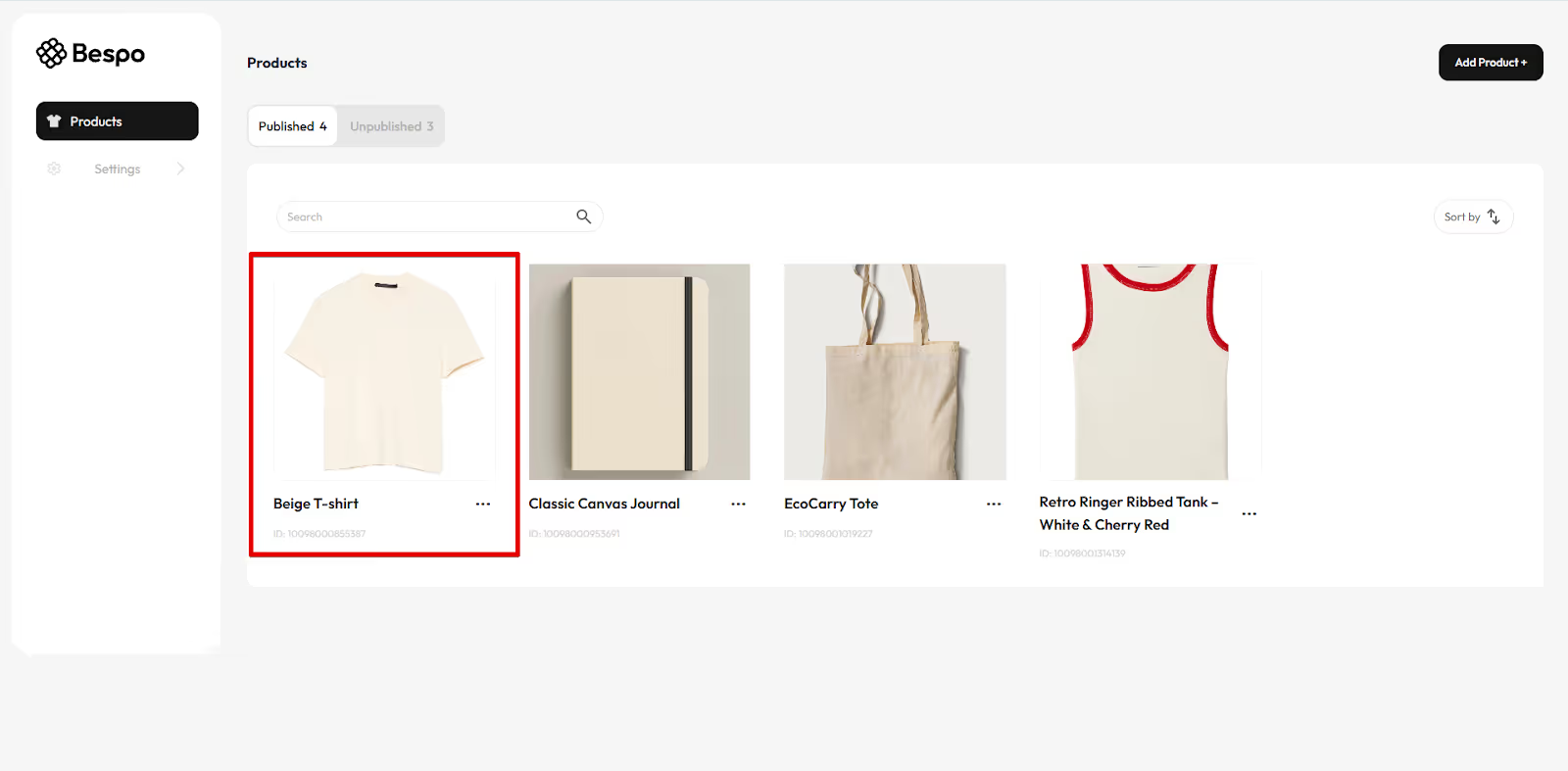
1) Open the product in Bespo
From Products, click the product you want to personalize.
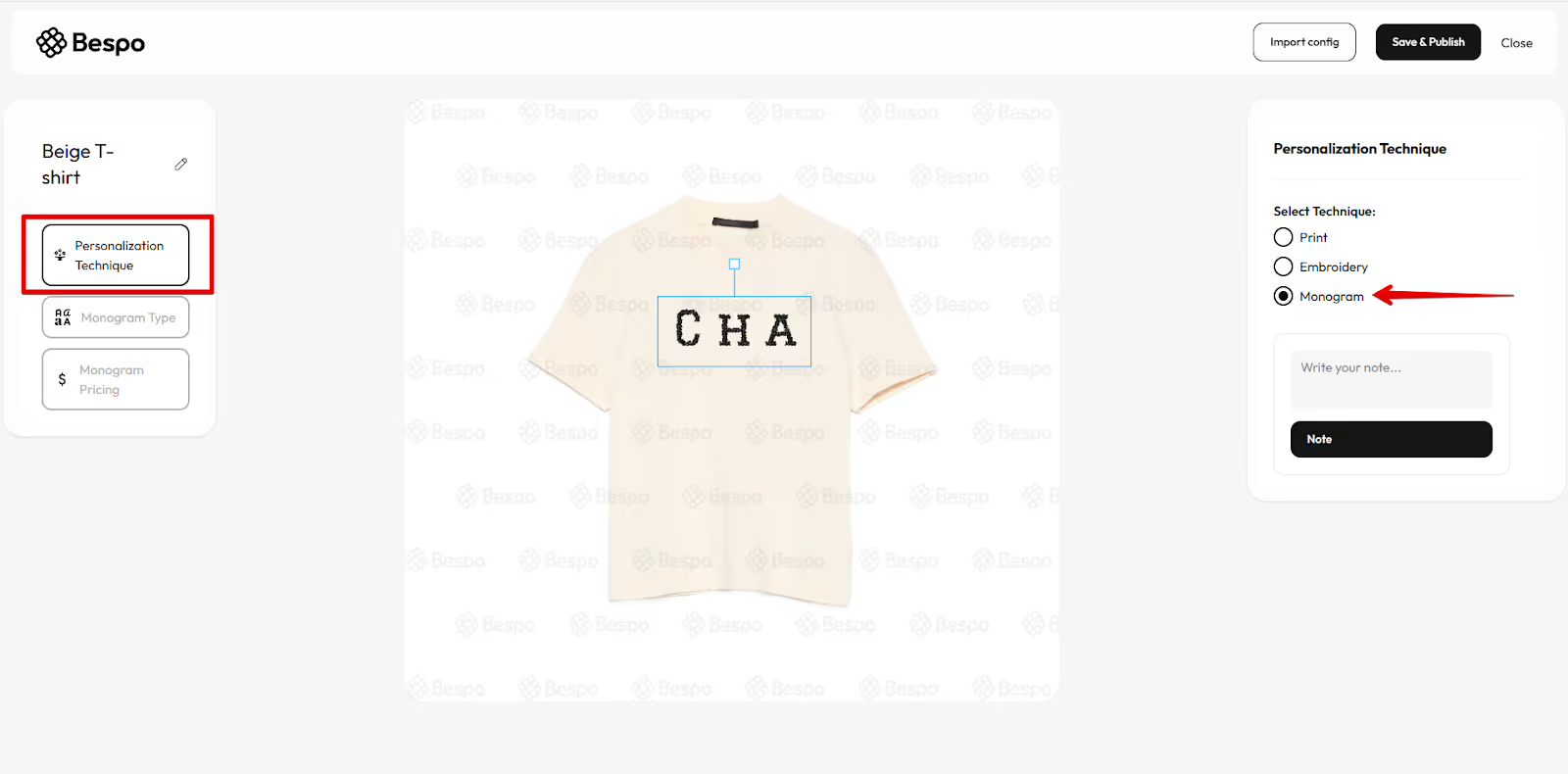
2) Choose the Monogram technique
Click Personalization Technique on the left, then select Monogram on the right.
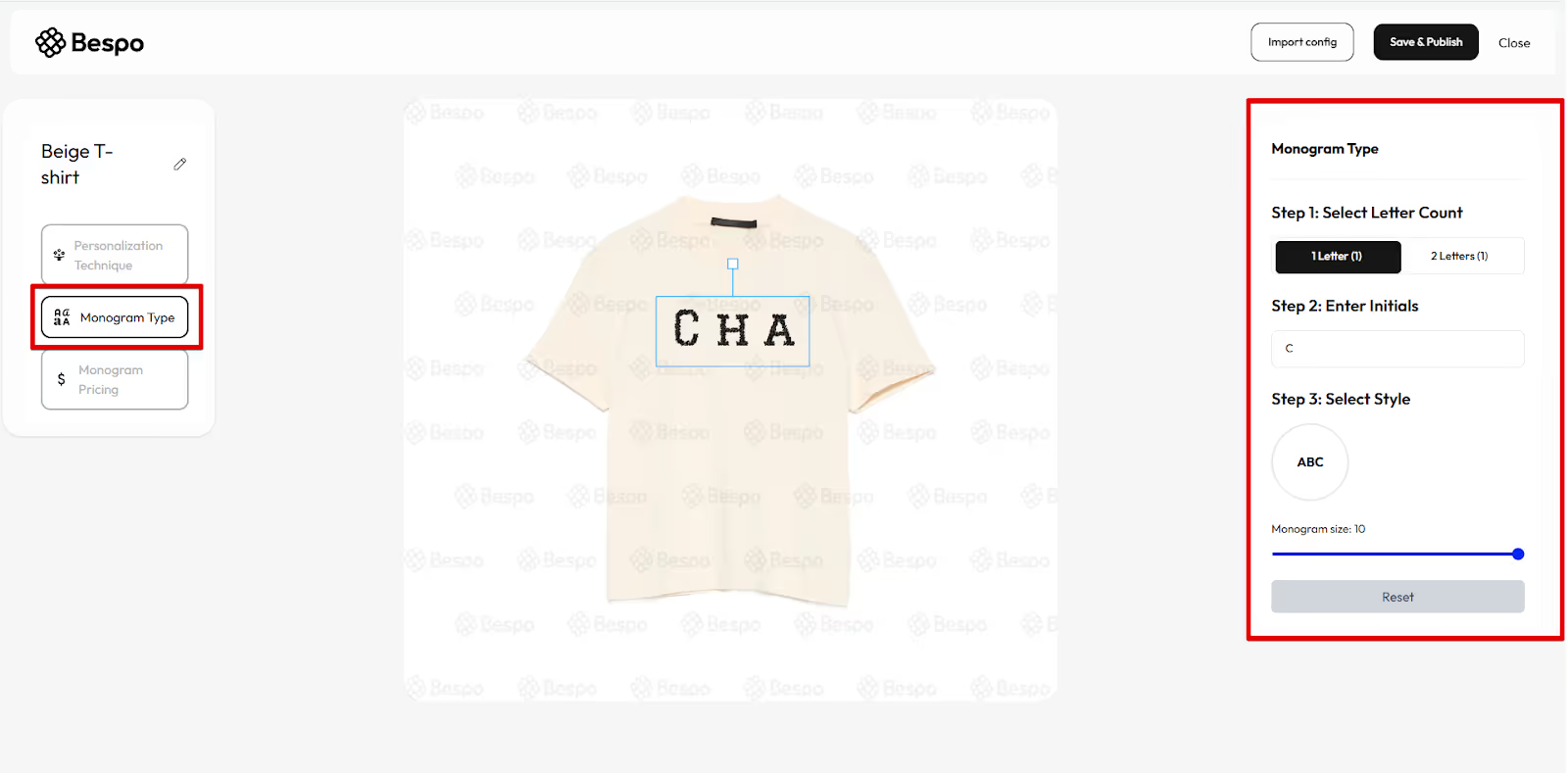
3) Open Monogram Type
Click Monogram Type in the left panel to set up the monogram.
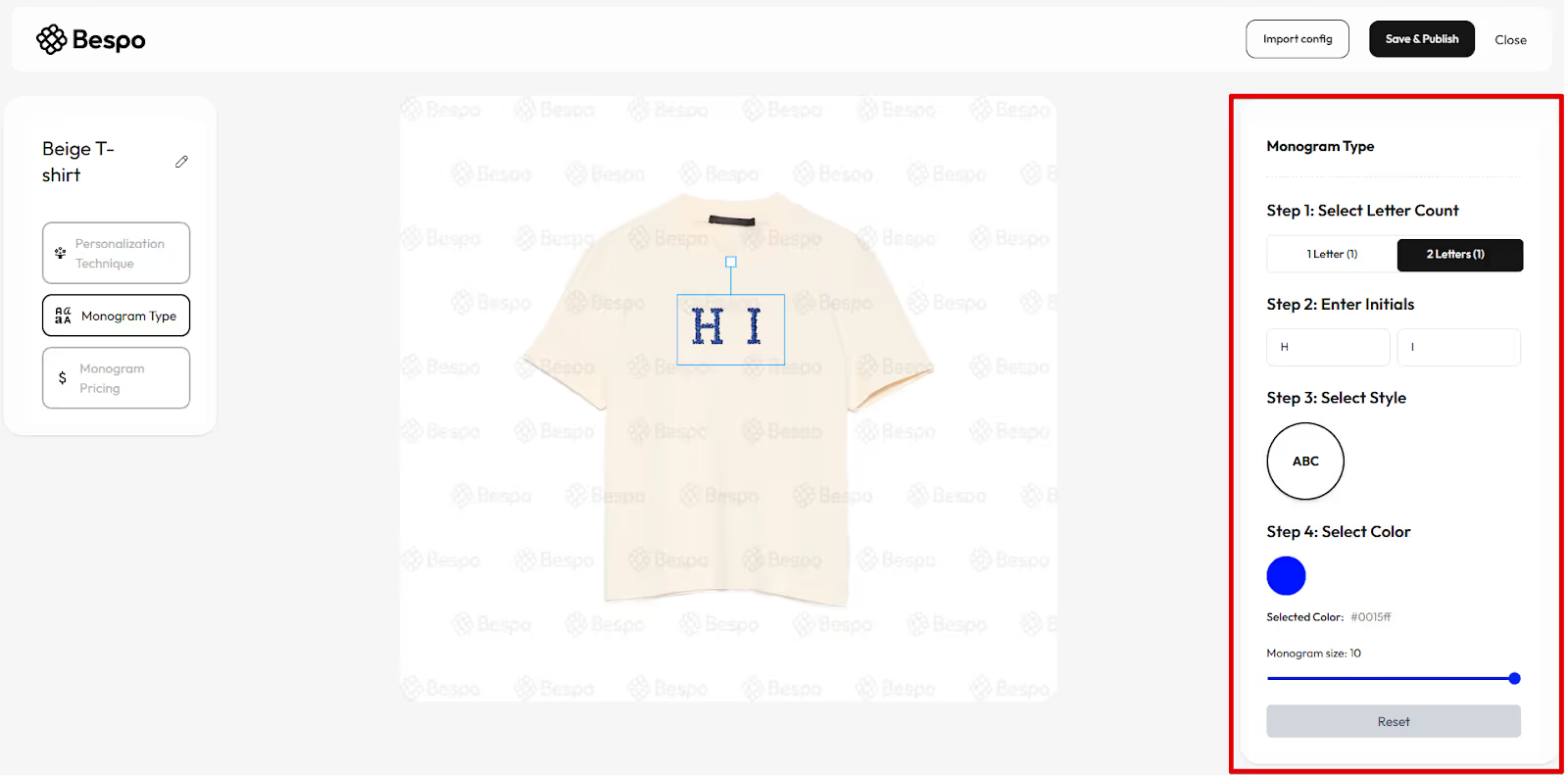
4) Configure the monogram
Work down the panel:
- Step 1: Select Letter Count (1 or 2 letters)
- Step 2: Enter Initials
- Step 3: Select Style (stitch style)
- Step 4: Select Color (pick your thread color)
5) Adjust size & placement
Use the Monogram size slider and move the blue bounding box on the product to position the monogram.
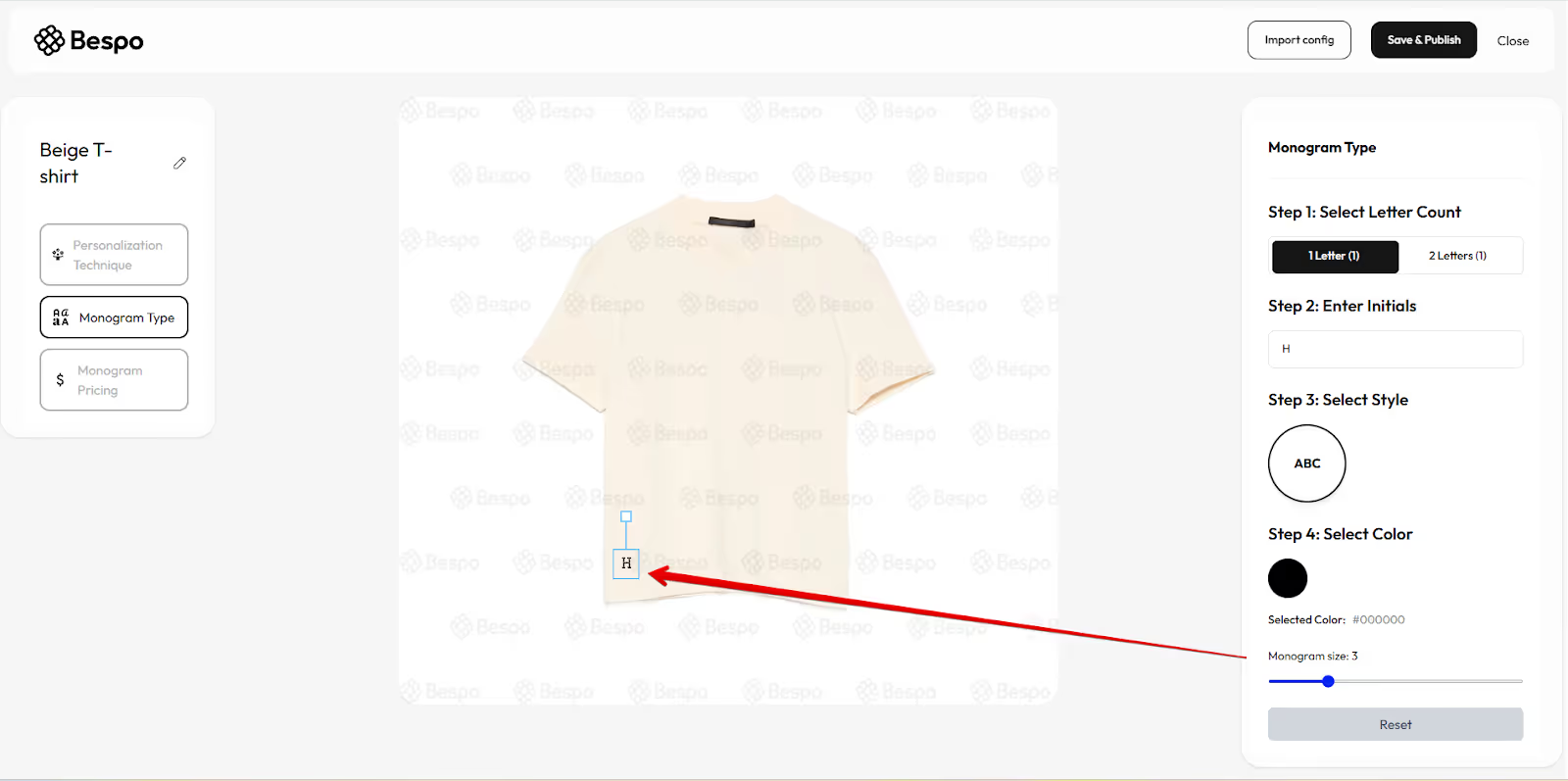
Tip: Keep the letters on the product.
6) Set pricing
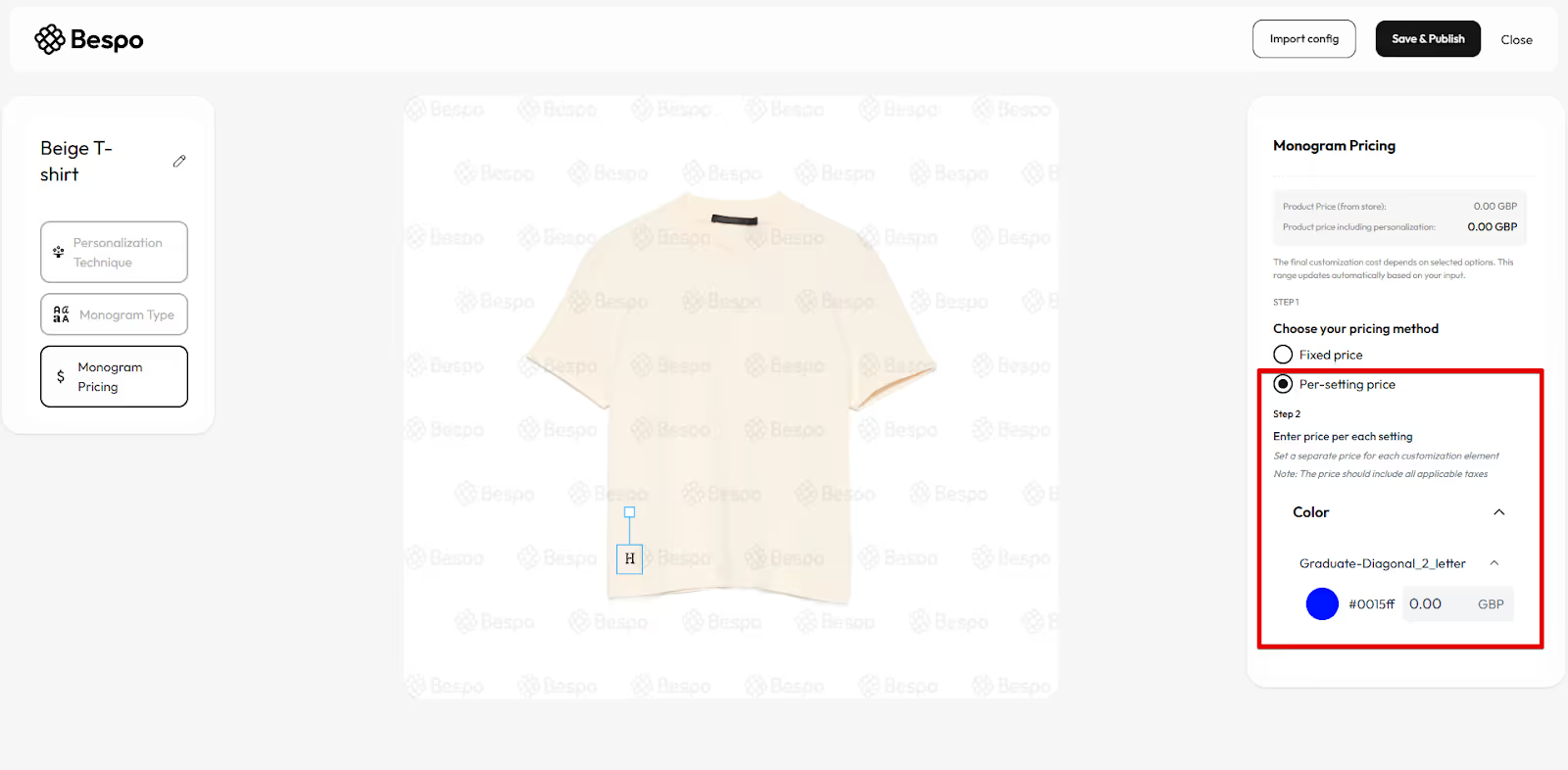
Click Monogram Pricing on the left. Choose one pricing method:
- Fixed price — set a single price for all monogram personalizations.
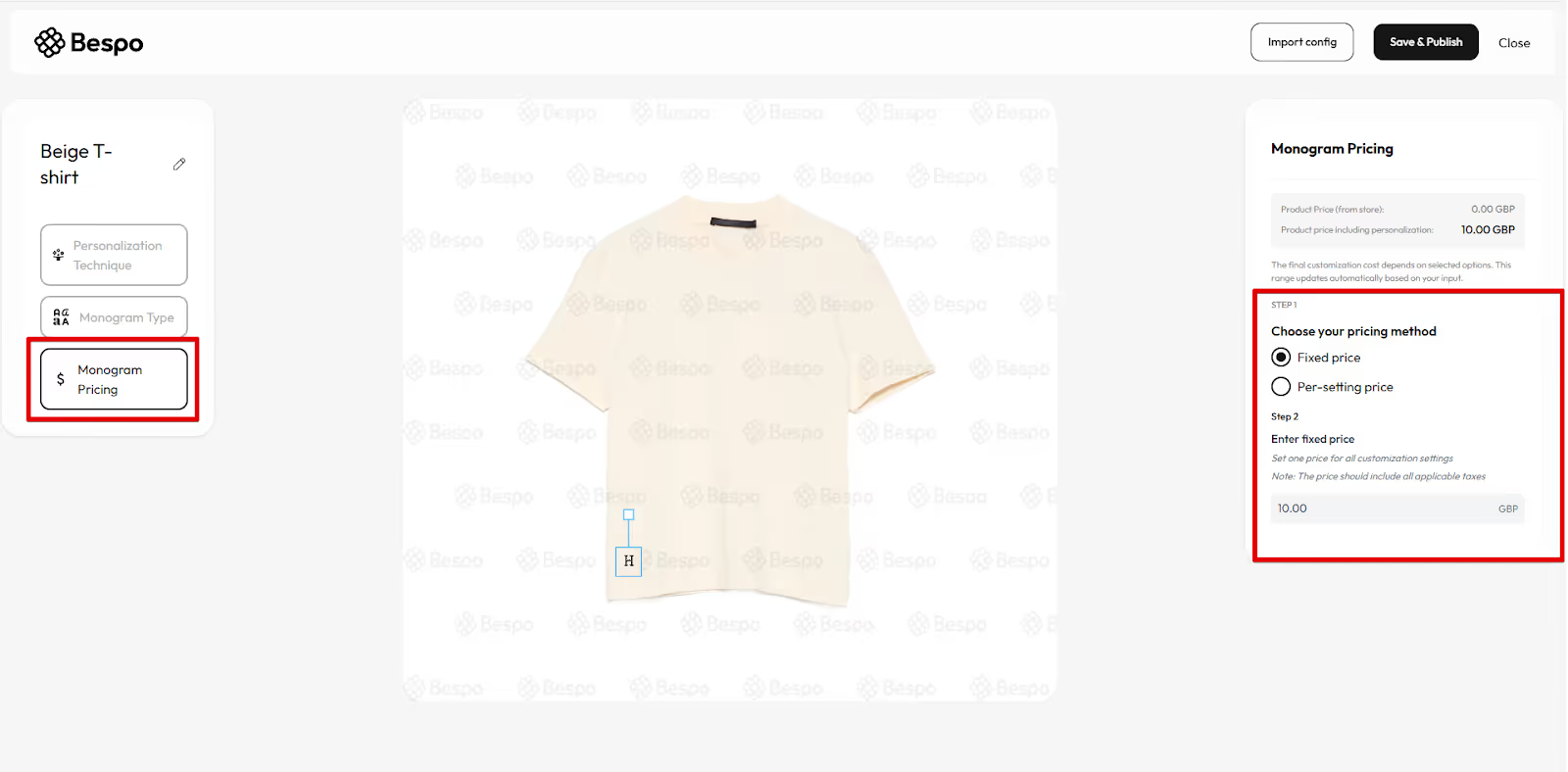
- Per-setting price — set different prices per Color (or other settings). Enter amounts; prices should include applicable taxes.
7) Save & publish
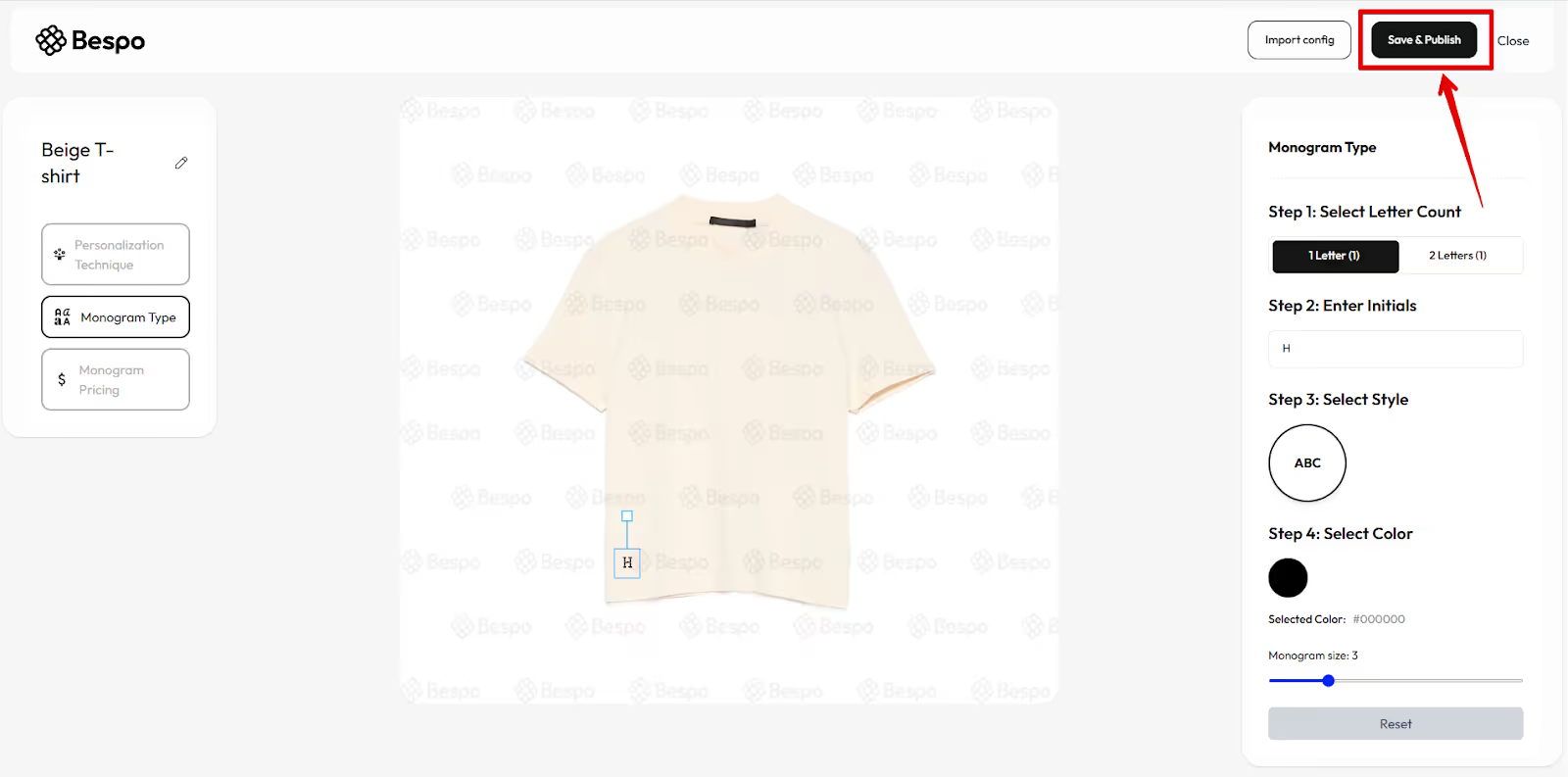
Click Save & Publish in the top-right to make this monogram personalization live on your store.
Tips
- If letters look too big/small, adjust the Monogram size slider or resize the blue box.
To update later, reopen the product in Bespo, make changes, then Save & Publish again.