How to Unpublish a Product on Bespo?
Unpublishing removes the product’s Bespo personalization from the live list in Bespo. You can republish it any time.
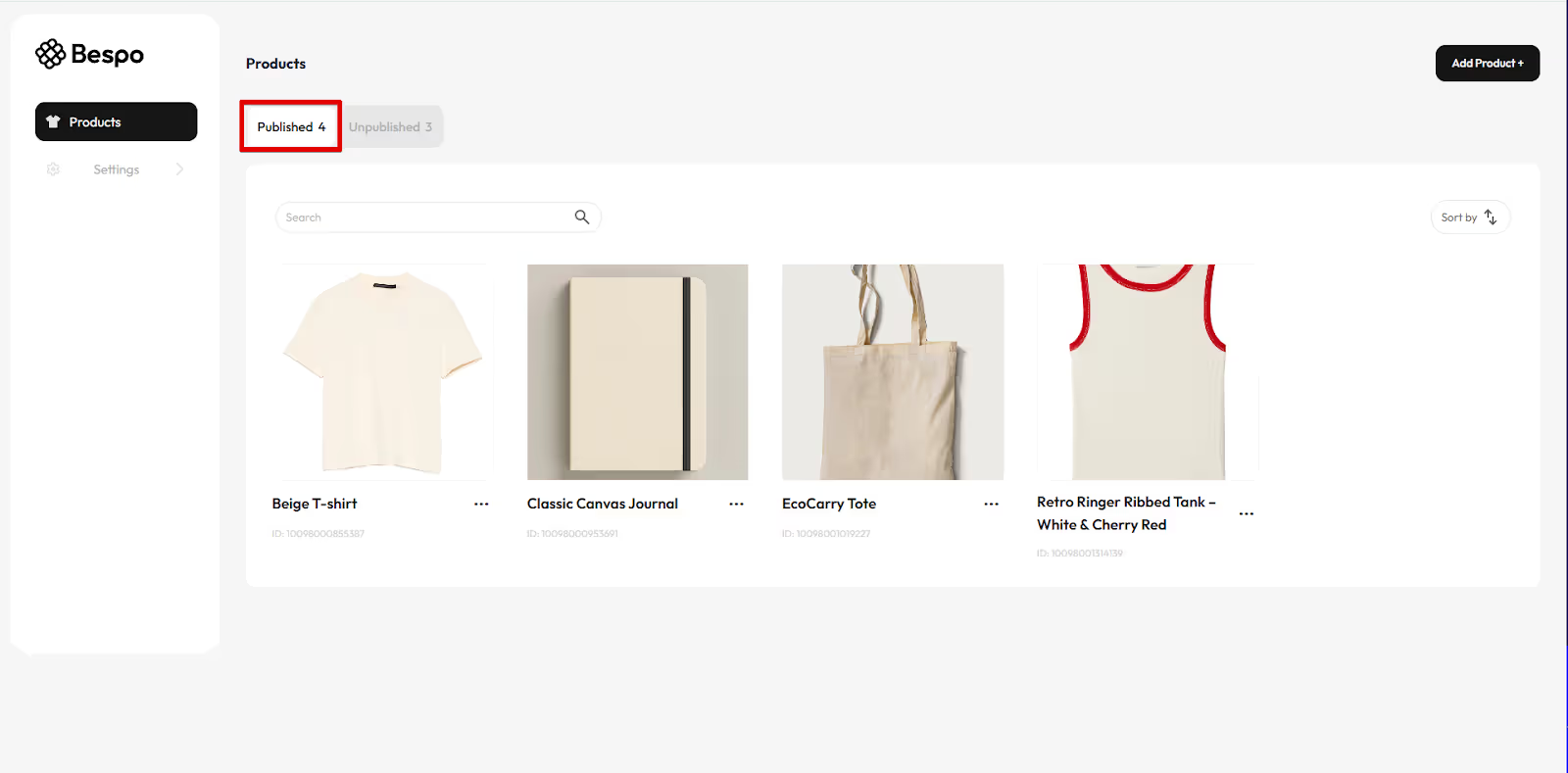
1) Go to the Published tab
From Products, click the Published tab to see live items.
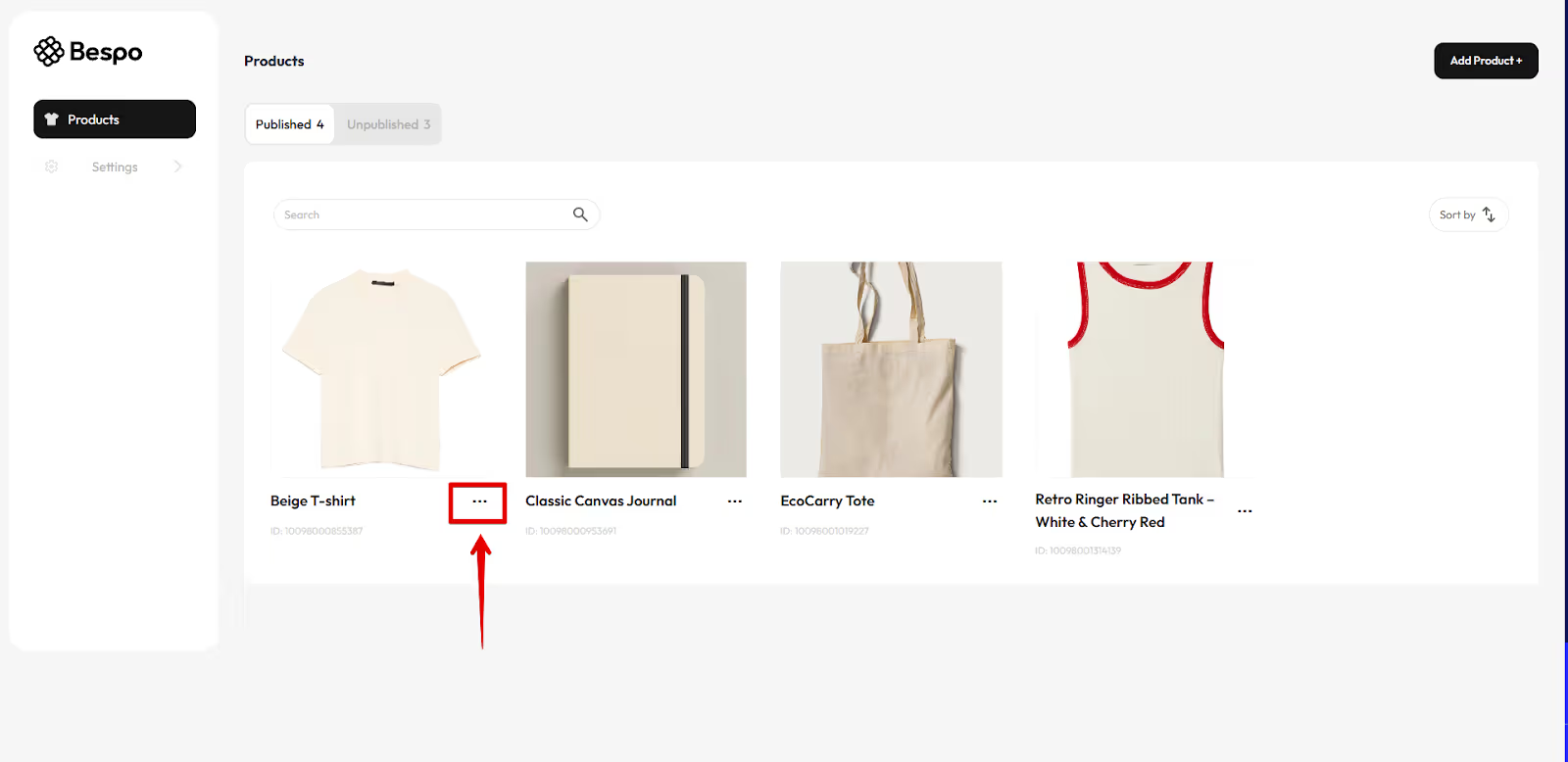
2) Open the product menu
Find the product you want to hide. Click the three dots menu on its card.
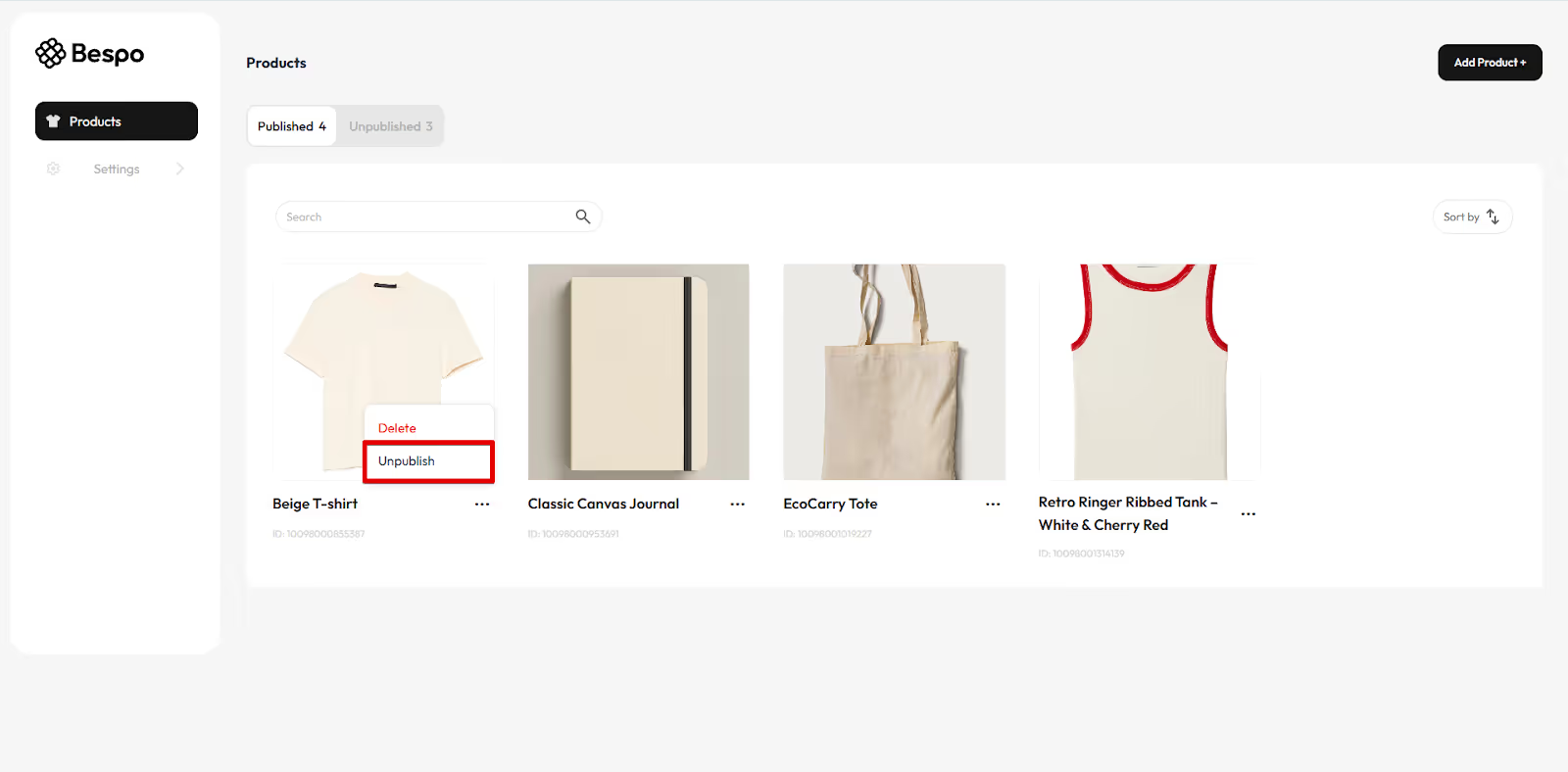
3) Click Unpublish
From the menu, click Unpublish.
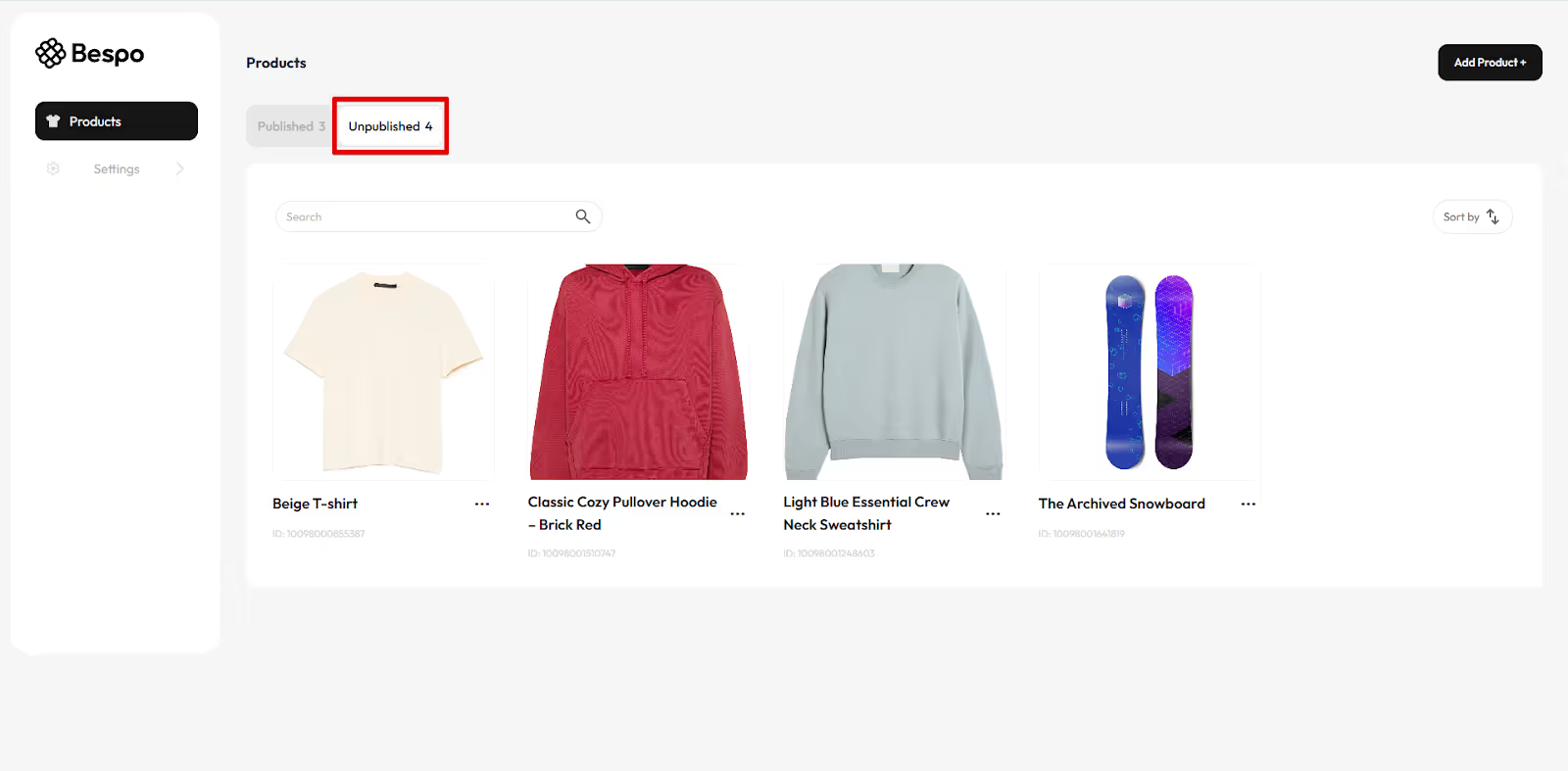
4) Verify it moved to Unpublished
Click the Unpublished tab to confirm the product now appears there.
Notes
- Unpublishing in Bespo does not delete your product. You can open the product’s menu again later and choose Publish to restore it.
- If you do not see the three dots menu, make sure you are on the Published tab.